 PingMe
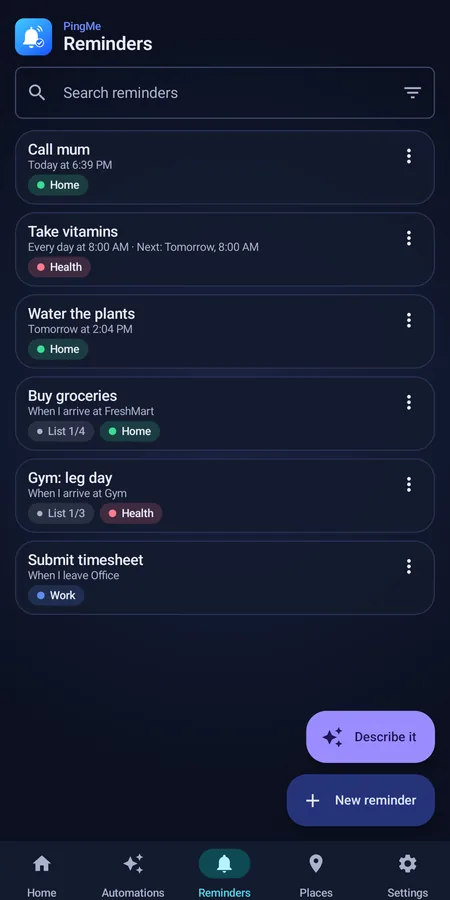
Reminders by place
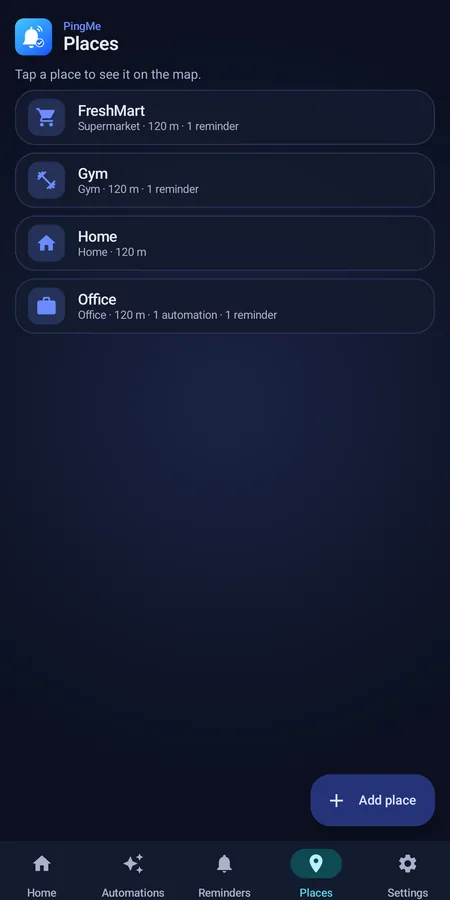
Get a nudge when you arrive at the supermarket or leave the office. Save the places you care about and PingMe watches them for you.
Reminders for Android
PingMe nudges you at the right place and the right time, and lets your phone do things for you. Set it up in your own words, and stop keeping everything in your head.
What it does
Simple on the surface, with the clever parts working quietly in the background.
Get a nudge when you arrive at the supermarket or leave the office. Save the places you care about and PingMe watches them for you.
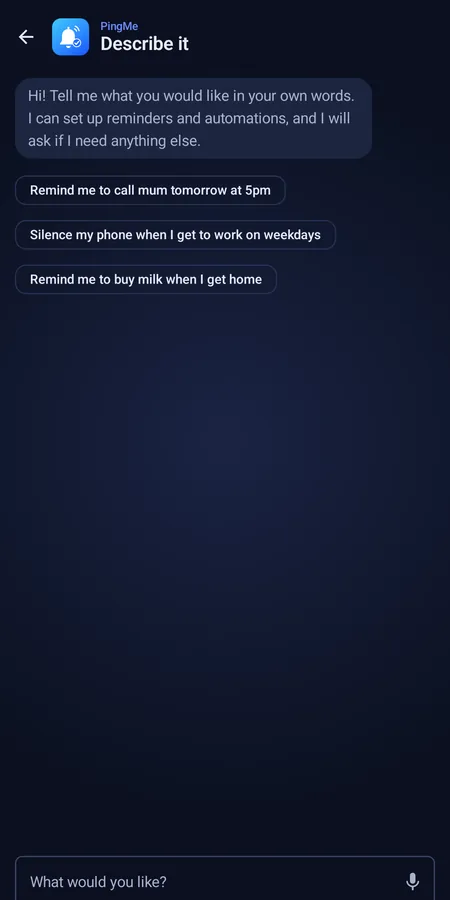
Type or speak "remind me to call mum tomorrow at 5". If it needs one more detail it asks, and you confirm before anything is saved.
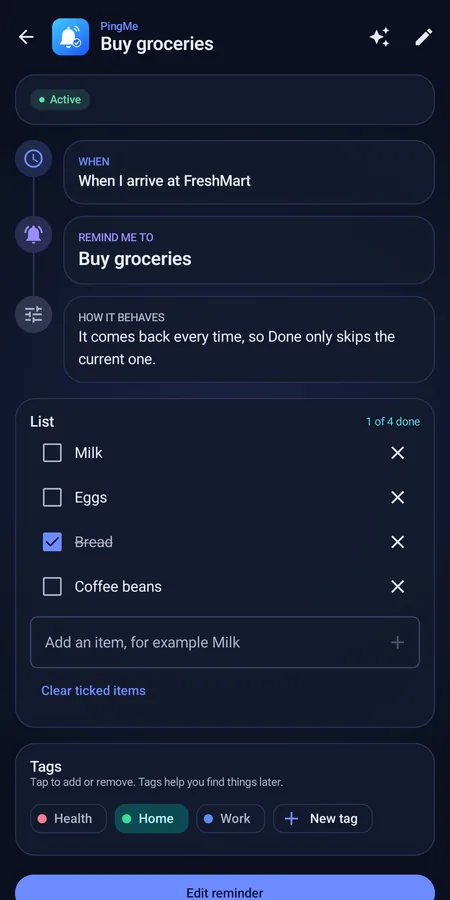
Attach a shopping list to a place. Walk into the shop and the list is on your screen, ready to tick off.
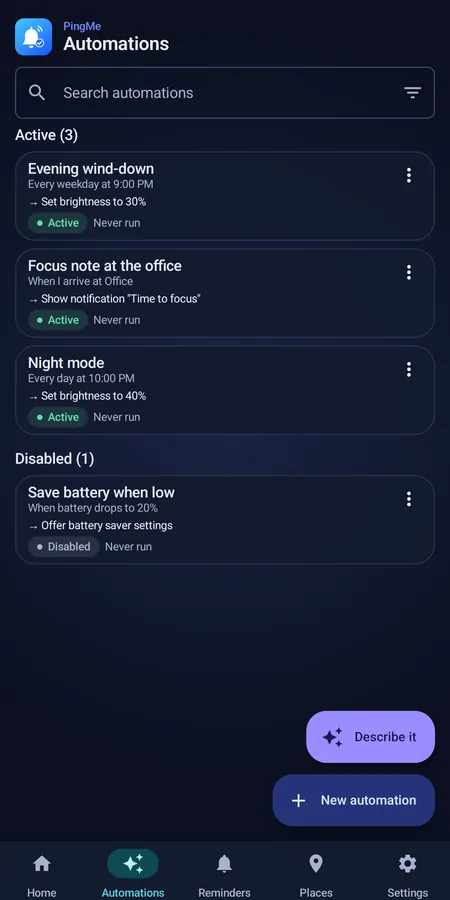
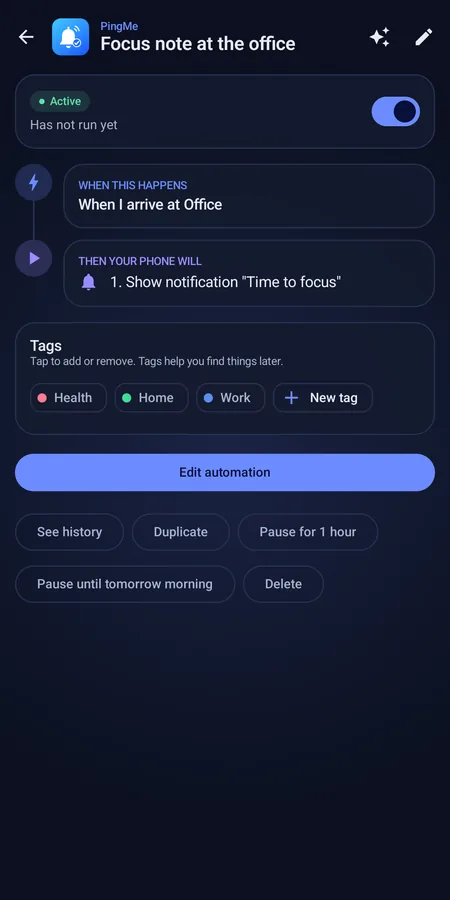
Go quiet at work, dim the screen at night, save battery when it runs low. Each one reads as a clear "when this, then that" flow.
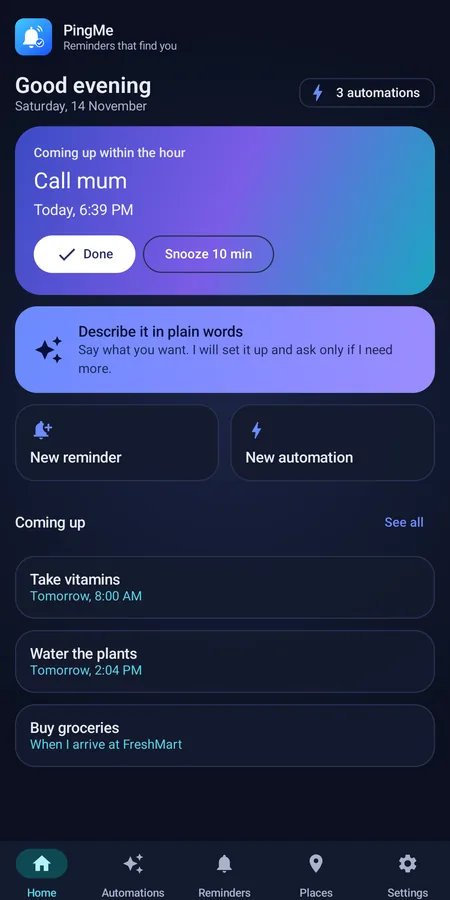
See what's next from your home screen. The Home tab highlights what is due within the hour, with Done and Snooze one tap away.
No ads, no analytics. Reminders and places live on your phone, and location is never uploaded.
Reminders
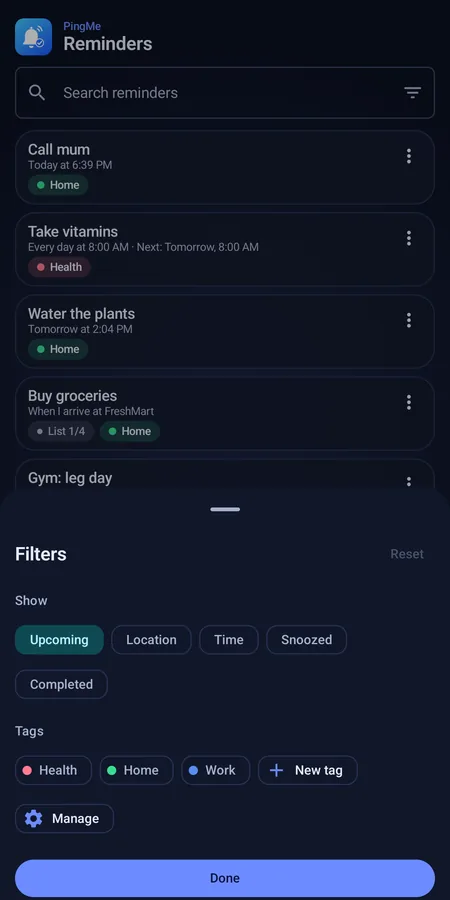
Choose a time, a place, or both kinds side by side. PingMe handles the rest.
The assistant
No forms, no menus. Describe it the way you would to a friend, by typing or by voice, and the assistant builds the reminder or automation.
Automations
Pick when something should start, add conditions if you like, and choose what your phone does. You always see it as a simple flow.
Ideas
Say any of these to the assistant, or build them by hand.
A reminder by place with a checklist. Your list appears when you arrive at the shop.
Reminders can fire when you leave a place, not only when you arrive.
Repeat daily, weekly, monthly or every few hours, at the time you choose.
Turn on repeat until done and PingMe keeps nudging you until you tick it off.
An automation that sets the sound mode on arrival and restores it when you leave.
Time-based automations change brightness, Do Not Disturb, battery saver and more.
See it in action
Three ways to set things up. Pick one and watch the steps.
How it works
Describe what you need in your own words, or pick a time or place yourself.
PingMe shows exactly what it understood. Nothing is saved until you say yes.
PingMe reminds you at the right moment, even when the app is closed.
Screens
Calm, clear and quick to scan, in dark and light themes.
Privacy
PingMe asks for only what a feature needs, and only when you use it.
Pricing
After that, the essentials stay free. Premium adds the powerful extras.
Always
Optional subscription
Your saved automations are kept if your free month ends, and start working again when you subscribe. Prices are shown in Google Play.
FAQ
PingMe is for Android phones running Android 8.0 or later.
Place reminders must work when the app is closed and your phone is in your pocket. Android watches only the places you saved and wakes PingMe when you arrive or leave. Your location is never uploaded or stored by us. If you only use time reminders, you can decline.
Your message, the names of your saved places and the titles of your reminders are sent to our server so it can build the reminder. They are not stored or logged. Voice is turned into text by your phone's own speech service, only when you tap the mic.
Reminders, places, tags, checklists and the widget stay free. Automations and the assistant need Premium. Your saved automations are kept and start again when you subscribe.
Yes. No account is needed. Signing in with Google is optional and only used for cloud backup to your own Google Drive.
Yes. PingMe restores your reminders and automations when the phone starts. Some phone makers limit background apps, so the app's Settings has a reliability page with tips for your phone.
Yes. PingMe can remind you when you arrive at or leave a place you have saved, such as Home, work, a gym or a supermarket. You can also attach a checklist, for example a shopping list that appears when you reach the shop.
Yes. Open the assistant, tap the microphone and say what you want, for example "remind me to call mum tomorrow at 5". PingMe turns your speech into text with your phone's own speech service, shows you what it understood and saves it when you confirm.
Reminders, places, checklists and automations all run on your phone without an internet connection. Only the plain-words assistant, place search and optional cloud backup need to be online.
Use the contact details on the Google Play listing, or see the contact section of the privacy policy.
At a glance
For a machine-readable summary, see llms.txt and llms-full.txt.
Get PingMe and let your reminders find you.